Categories
3. Content publishing for tablets 7. Vocabulary

Support of PDF documents in the reader

The best way to succeed in digital publishing is represented by customized layout that fits screens of most Tablets and smart phones. But in some cases the the publisher does not have enough time or capacity for preparation.

Or there is a need to quickly publish hundred-page catalog full of technical tables and plain figures, that is available in PDF format and is interesting only for selected group of readers. In this case, you can use the PDF support of Triobo digital publishing.

Publisher may work with following types of publishing:

  • Triobo publication: created in Triobo visual editor (customized tablet/phone layout, interactive elements etc.)
  • PDF publication: PDF format document made in external program, imported to Triobo reader – the middle part on picture below
  • Combined publication: the combination of Triobo based document with PDF – the right side on picture below

Example of Triobo publication, PDF publication and Combined publication

Advantages of individual solutions

Triobo publication

PLUS: full interactivity, layout customized to tablets and phones (various screen sizes, displays etc.), very convenient to reader.
MINUS: work associated with magazine preparation (according to layout complexity)

PDF publication

PLUS: zero work with publication preparation. It is necessary to save optimized PDF, reduce images (not the original PDF but the optimized one)
MINUS: reading full of compromises

Combined publication Triobo + PDF

Consumers may normally download Triobo publication with full interactivity and comfortable reading. Publisher may also enclose a PDF document.

PLUS: the reader has a good quality digital content for convenient reading (Triobo publication). In addition, he may also download the attachment in form of PDF document.
MINUS: there are no negatives

A typical user of Combined publication is a publisher who already has print magazine and at the same time prepares for his readers interactive version customized to tablets (Triobo publication). The publisher encloses the PDF version of printed magazine as a PDF attachment – the same content, only in replica form of printed magazine (=uncomfortable reading on phones and tablets). Because readers thus have automatic access to PDF copy of printed version with their digital purchase, the publisher may count downloads of tablet magazine to audit of sold publications of the original magazine (International Federation of Audit Bureaux of Circulations).

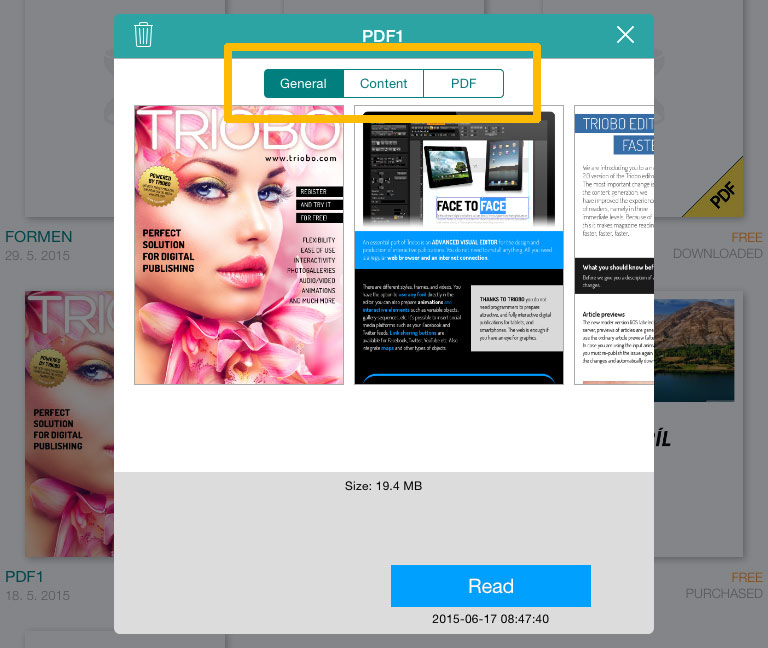
This is how the reader looks after combined publication is opened: Combined publication Triobo + PDF
Categories
3. Content publishing for tablets 7. Vocabulary

Favorite articles in digital publication

The Reader of digital publications offers consumers the possibility to mark selected articles as favorite by asterisk. Consumers may later return quickly to selected articles and move (browse) selectively only through favorite articles.

The currently read article may be tagged with star that appears on the top right by using menu button (picture example of Apple iOS platform). Favorite articles are marked with a yellow star. favorite article tag

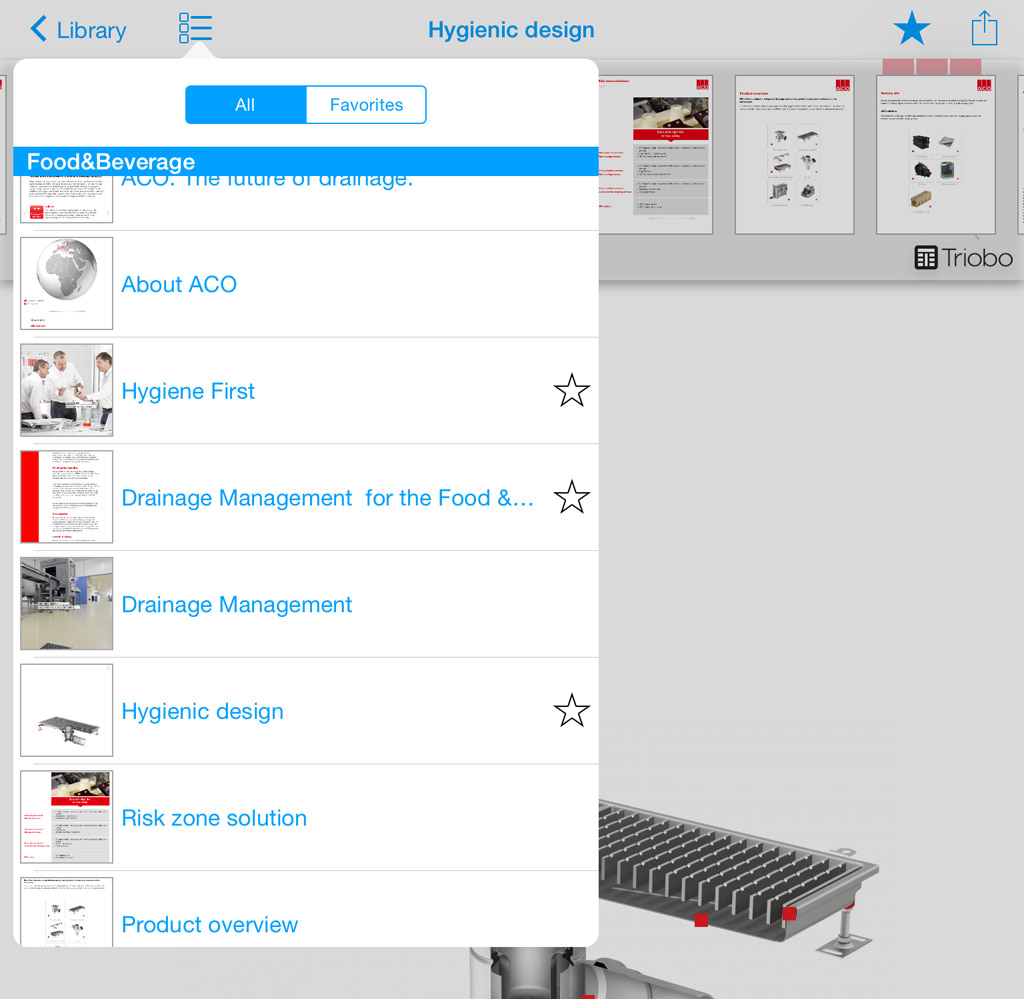
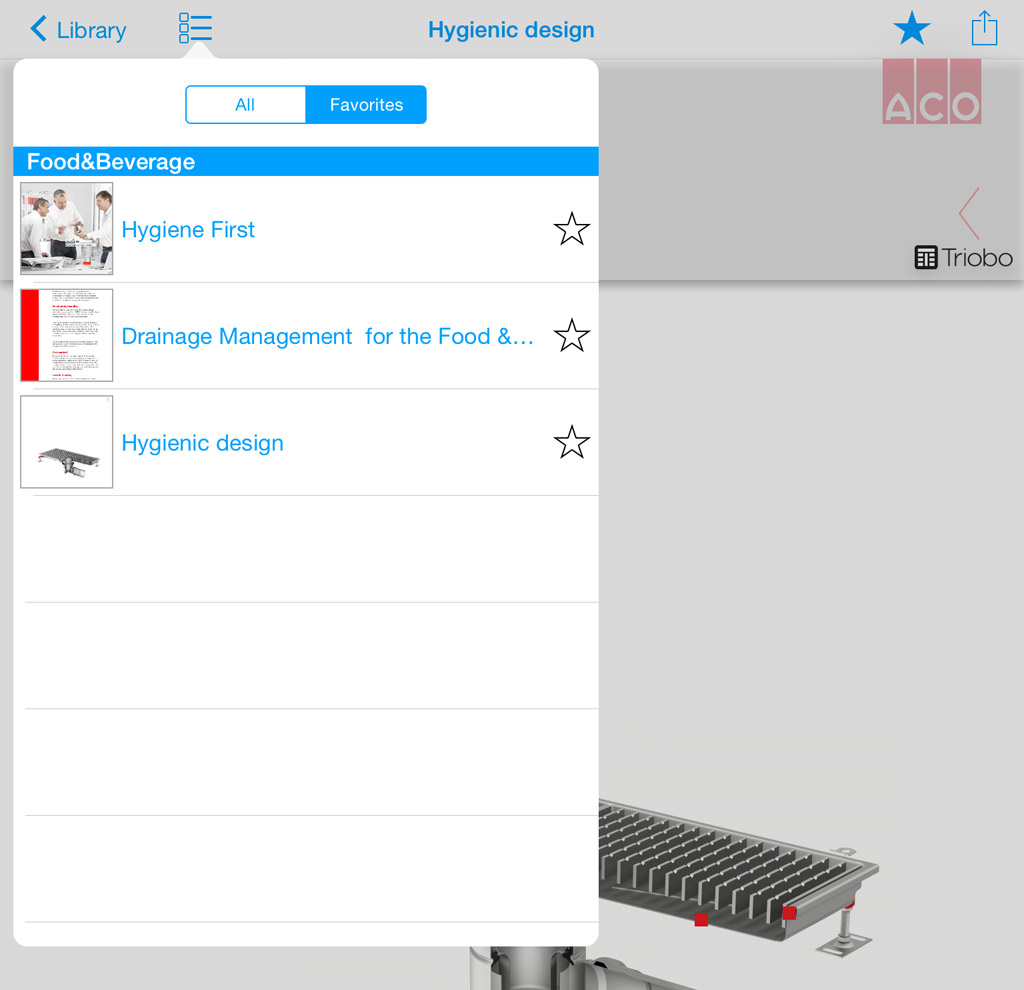
The content button (e.g. on top left) expands and displays the list of all articles in publication. Again, favorite articles are labeled with star. Note the switch above displays all articles to reader who may then choose to see all articles or just simply those that are marked.

digital publication content content of digital publication with favorite articles

Categories
2. Triobo editor 6. Marketing & digital publications 7. Vocabulary

Advanced communication with readers – Triobo Push Notification Assistant (Triobo PNA)

A Unique Triobo Push Notification Assistant (Triobo PNA) is a powerful marketing tool for publishers of tablet publications. Triobo PNA significantly broadens the basic range of services that are sending messages to readers (so called. Push notifications, more here) that are displayed on their tablets or smartphones.

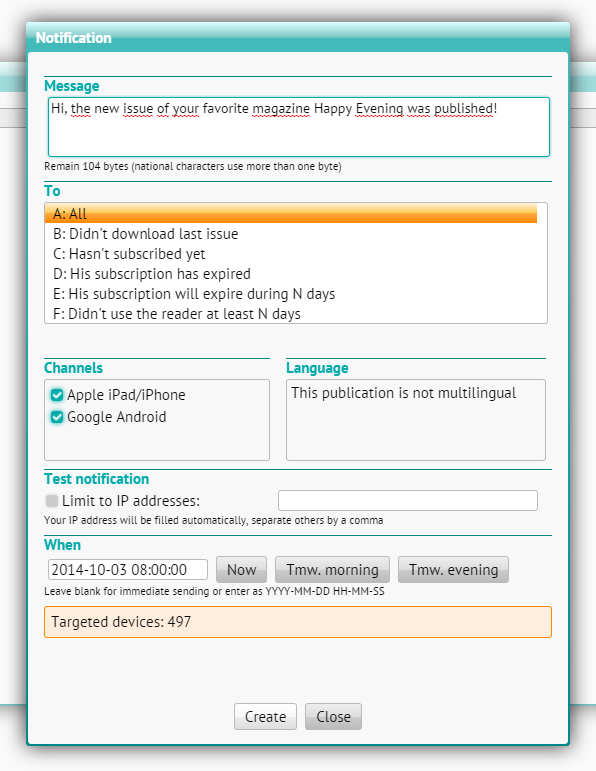
Thanks to the Triobo Push Notification Assistant that publisher can conveniently communicate and reach out specific groups of readers. The publisher then may send a message to:

  • All of his readers
  • Readers, didn’t download the latest issue of tablet magazine
  • Readers, that have not ordered a subscription yet
  • Readers, that their subscription has expired and was not renewed
  • Readers, who’s subscription expires during N days
  • Readers, who have not opened any magazine of a publisher at least N days

The publisher can also send a different message to readers on Apple tablets/phones and different message to other Android users. If the publisher has active multiple language versions, then he can also specify reading groups by language.

Triobo push notifications - advanced assistant

Using the function for notification testing, the publisher can send a test message (note: the reader should not have currently opened your magazine and also he must have enabled push notifications for your magazine – otherwise the message will not be delivered).

The publisher keeps always track about the number of readers whom the message will be sent – in any parameter settings for sending of push notifications, the dialog box at the bottom will recalculate the number of target devices (tablets and phones).

In addition the publisher can schedule sending of push notifications to a specific date and time. In such case, the message is queued for dispatch and will be sent out at specified time.

Triobo Push Notification Assistant is accessible to publishers with the Triobo Professional tariff or higher.

Categories
6. Marketing & digital publications 7. Vocabulary

Automatic cover page update in AppStore

Triobo allows automatic updating of tablet magazine cover pages in Appstore. This concerns digital magazines located in the Kiosk (Newsstand). Triobo have changed the usual practice where publishers placed cover pages of new issues manually, through web iTunesConnect.

Triobo digital publishing can provide so-called. AtomFeed that Apple is able to process automatically; you will save time and worries with cover page updating. This option is available to all customers with Triobo Professional tariff or higher.

Ukázka obálky v iTunes

How to do it?

First of all you need to publish any issue to public Apple iOS reader – you may re-publish any current issue. In this case, do not forget to mark the Rebuild option because you need to create a title page preview in different size (as big as Apple requires).

You will also need to find out where is located your AtomFeed: in the list of publications press the [i] icon (publication properties).

Publication properties

On the right side the reader applications are displayed. For the Apple iOS reader click Properties.

Reader properties

At the bottom you will find the URL, copy it (it looks as follows: http://storage.triobo.com/appleatomfeeds/87-s87x230.xml)

AtomFeed Triobo

If you have any newly published issue (not earlier, because until you publish at least one issue, then there is no AtomFeed in existence), go to the Apple iTunesConnect. In your application, select Newsstand from the top menu.

Click the Add Atom Feed. Enter the URL and nothing else. Save. System check will occur. If everything is OK, the Apple will message you that cover pages will be downloaded once a day (so it will show in App Store tomorrow).

The publication date will be sent to Apple (exactly as you have set it up), and the issue description is being sent out as well – it is a compulsory item with at least 10 characters (many of you do not have this filled up in Triobo editor). Attention, without filling up the issue description our AtomFeed will not be accepted by Apple!

Issue description

Categories
3. Content publishing for tablets 7. Vocabulary

API for external systems (custom made eshop etc.)

The publishers of tablet magazines and publishing portals usually depend only on the distribution of their subscription titles through the App Store, Google Play or Amazon Store. Until now, the ordinary publisher did not have the option to sell subscriptions of tablet magazine through his website and certainly could not sell subscription packages of printed and tablet magazines in one bundle. This solution is now available to all Triobo publishers – the option of connecting the tablet magazine reader to external payment gateway of a publisher (using Triobo API).

With the use of Triobo API…

  • you can sell any specific issue of your tablet magazine (issue sales) through your website or any tablet subscription, typically semi-annual or annual.
  • on your website you can also sell bundles of tablet content with any other product – for example the package of printed and digital subscription
  • in case of digital content, sales through your web substantially increase your profit, by saving (about 30%) on commission fees, that you otherwise pay for direct sales through App Store / Google Play / Amazon Store.
  • sales money from website go from your customers directly to your account, without any intermediaries

It should be noted that even in case of connection to the external payment gateway you must maintain the option of selling your digital content directly from your reader, and also you must not sell the digital subscription or single issues from your website cheaper than directly from the reader. Simply said, you should not disadvantage the sales through the App Store / Google Play / Amazon Store against sales through your web site.

Reportér magazine example

Connecting conditions

You will get a simple description of technical interface from us to be specified to your developers. It does not matter what kind of web you may have for subscription sales (or e-shop), it does not matter what technology you are using on your website. You only need a qualified developer who is able to connect our Triobo API interface with your software. If you have any payment gateway for online payments, you may sell your digital subscriptions completely on-line through your web (and the money go directly from your client to your bank account).

Similarly you may sell tablet digital publications completely off line – perhaps so in such case the customer calls your call center, subsequently the invoice will be sent to him after the payment “somewhere” inside of your software was made, which could be very simple, marking that the user John.Smith@world.com has already paid for it and is eligible eg. for annual digital subscription of tablet magazine Happy Reader. Your developer only sends this information to our digital publication distribution system using a secure mode of Triobo API.

The external payment gateway (Triobo API) connectivity is available to customers who use the Triobo Professional tariff within its premium services. If you are interested in using Triobo API please contact us.

The scenario when reader had purchased magazine subscription through the publisher’s web site

The customer must disclose his e-mail address that will be used for logging into the tablet reader. At the same time his password will be generated (for digital subscriptions) or the customer will enter it through the web site for subscription sales (in ideal scenario), or he will register directly in the reader.

The customer will download your tablet magazine reader, which is usually free – you are selling the reader content, not the reader itself. By clicking on the people icon, the customer logs into the Reader’s zone. Using his email address, that he received when the payment was made, and he uses his password. From this point he has access to all purchased issues he had paid for.

Categories
3. Content publishing for tablets 7. Vocabulary

Multilingual content with language switch

The publication software Triobo also supports multilingual content in digital publications for tablets . In one reader the publisher can publish (usually identical) content in multiple language versions. The reader then can see the content primarily in his own language, with option to switch to other languages any time. The default language of a particular reader is selected automatically according to the language settings of his tablet.

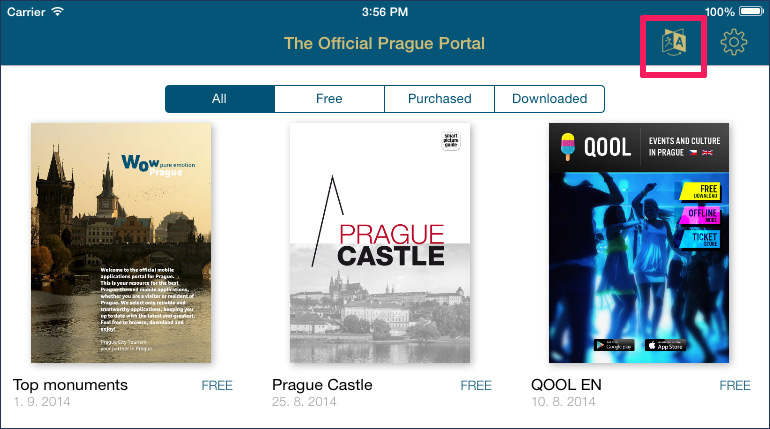
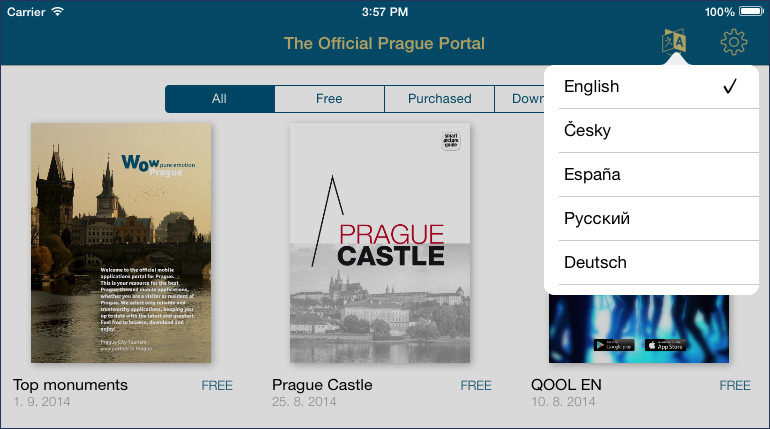
Language switch icon Rolled out language switch

Usually this option is used with publishing portals, typically in tourist guides or interactive catalogs. Multilingual content with switches may be published by every publisher with switching option in Triobo Professional tariff or higher.

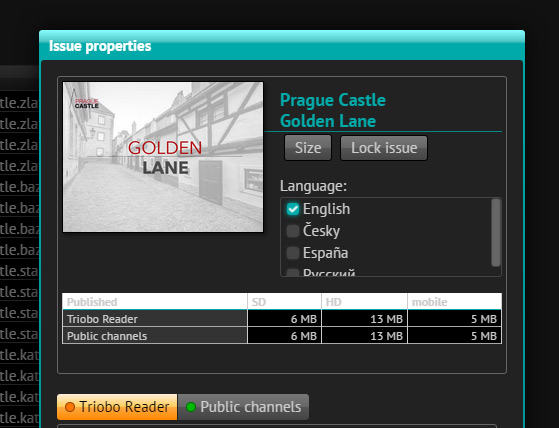
From the publisher perspective, the individual language versions are assigned to appropriate language in Triobo editor, under the Settings dialog of issue properties (if language version with switching is activated in your reader): ! Multilanguage setting and publications

Note.: any publisher with Triobo Start tariff may also publish multilingual content, his readers however do not have the language switch available in their reader and will see all language versions of publications next to each other. The professional way of publishing multilingual publications with switch option is introduced until the Triobo Professional tariff.

Categories
2. Triobo editor 7. Vocabulary

Users management of Triobo editor (multi-user access)

Every customer using Triobo Professional or Triobo Triobo Business or Triobo Enterprise tariffs has the possibility to use multi-user access to the Triobo editor with access rights.

Typical use:

  • publisher divides the work among more workers and provides the access to everyone but only to selected publications in the editor
  • creative agency allows the client to preview currently produced digital publication (or interactive advertising) remotely via Triobo Reader. It is guaranteed that a particular agency customer will only see his publications and not those of other customers. Additionally, you can restrict the access only to Triobo Reader, the Editor will never be accessed by agency customers.

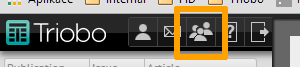
Once you start using Triobo tariff that supports multi-user access, the new icon will appear to the administrator of your account in Triobo editor menu:

Triobo - multi-user access icon

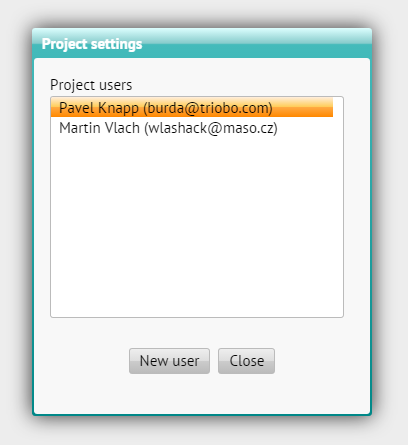
When you click on it, you’ll see the list of all users who have currently the access to your Triobo editor.

Triobo - selected users

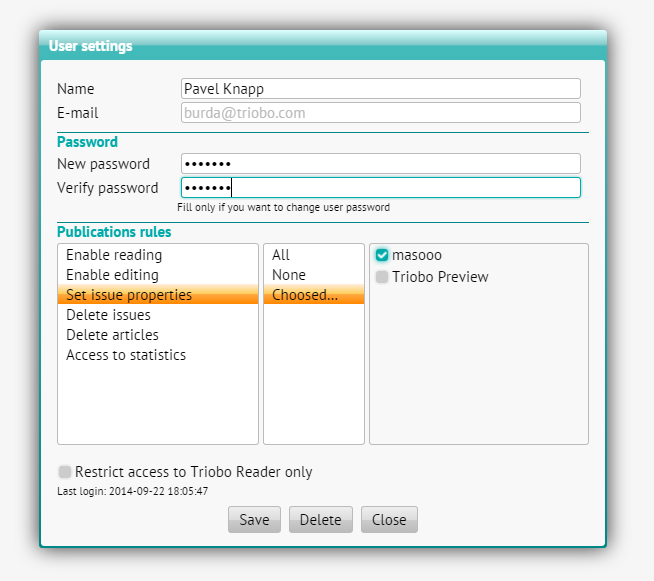
To add a new user, you use the New user button. Set his name and e-mail. Use existing e-mail address. In addition, you may (but not need to) specify a password, for security reasons, enter it twice. If you do not enter it at all, then the password will be automatically generated and you will be notified after the user establishing. Remember, you can not recover the password later.

To edit an existing user, double-click on his name to get to editing mode.

What you can set?

An individual publication rules are found on the left side of the group. In the middle, you select whether the rule applies to all publications of your project, for none (ie. the granted rule is always prohibited), or only for selected publication – then you can choose each publication from the list on the right side for which the rule will be allowed.

Triobo - setting of multi-user access rules

  • Enable reading – the user can only view publications

  • Enable editing – the user can also edit publications

  • Set issue properties – the user can publish to Triobo reader and also to public channels, he can update publications

  • Delete issues – the user can delete any issue of given publication as a whole (when he also has the right to “set issue properties”)

  • Delete articles – the user can only delete articles, but not the entire issue

  • Access to statistics – the user will have access to information about the readership

Additionally, you may select that you want the user to have access only to publishing inspection Triobo Reader (see the option Restrict the access only to Triobo Reader).

Categories
3. Content publishing for tablets 6. Marketing & digital publications 7. Vocabulary

Publishing portal

In publishing software Triobo you can not only create digital magazines and single publications, but also compact packages of independent publications with related content – all within a single application. Such an application is called publishing portal.

Triobo Kiosk is more suitable if you want to have a package of digital magazines in one application. More information about the differences between publishing portal and Triobo Kiosk.

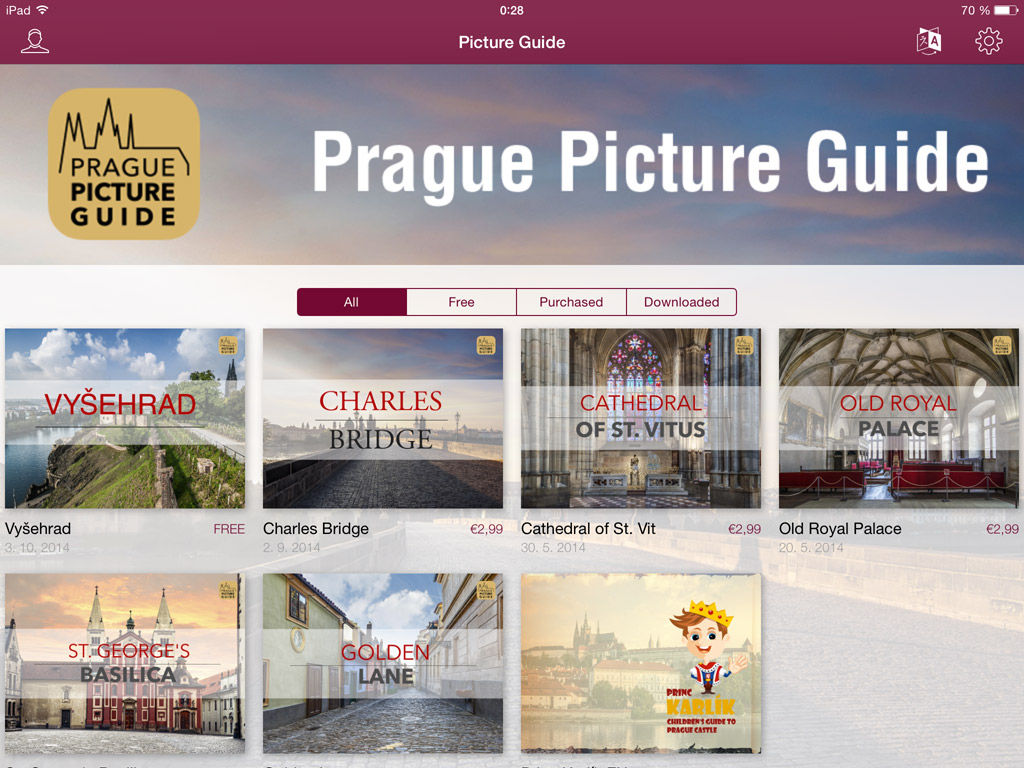
A typical example may be a set of independent tour guides offered in the App Store / Google Play under one icon, for example The Official Prague Portal (individual publication on Prague is free of charge) or The Prague Picture Guide (set of charged tourist guides). Other examples may be sets of company information materials (catalogs and documents for customers) or even digital portfolios of creative agency.

enter image description here The shared framework of a single application is very important from marketing point of view – even if you have separate series of tourist guidebooks, you do not advertise them all individually; just inform interested visitors of the existence of a single application, where they “find it all”. Instead of twenty separate references to twenty different applications you will use just one link.
Publishing portal may include:

  • Any combination of charged and free publications
  • Reader’s Zone – You can distribute coupons that substitute the payment in App Store / Google Play – at cash registers of tourist attractions (Triobo Professional tariff) for example
  • Language versions – the entire publishing portal may have multilingual content, among which readers can switch. Typically, a tourist guide in English, German, Spanish … and yet everything under one application.
  • Publishing portal can be also connected to the external payment gateway – and perhaps allowing you to sell charged tablet publications through your e-shop outside of App Store / Google Play (Triobo Professional tariff)
  • PDF (static) documents
  • Etc.

An important feature of publishing portal is the choice to instantly update on-line content or add additional publications.

Publishing portal is accessible in tariffs Triobo Start and Professional.

There are no special settings required, in fact this is the same model as in case of tablet magazines. The difference is only in slightly shifted meaning of terms: publishing portal is understood in Triobo Editor as a “publication” while individual publications in a publishing portal (eg. individual tourist guides) are then processed in the editor as “issues”.

Categories
3. Content publishing for tablets 7. Vocabulary

Partially charged publication

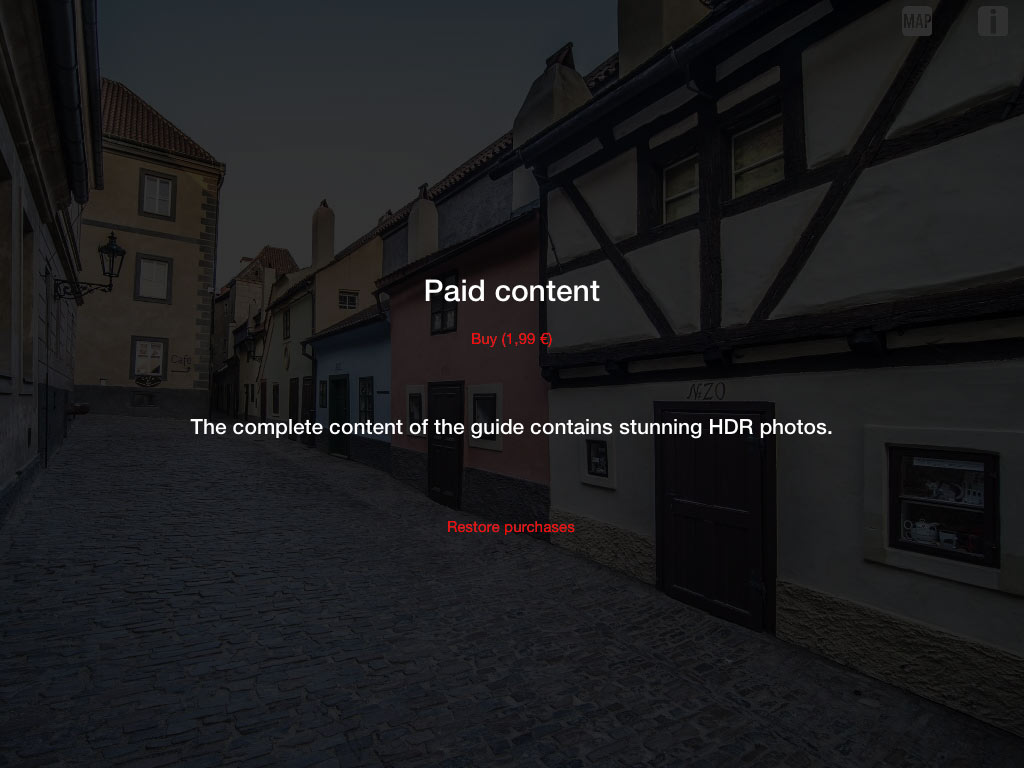
Imagine that you want to create paid interactive publication for tablets, for example a tourist guide, and you want to give the visitors a chance to see few pages for a trial. Yes it is possible, with publishing software Triobo you may create partially charged publications.

You may mark specific pages within the digital publication that will be available to readers free of charge while the access to other pages will be subjected to payment of subscription amount over the App Store / Google Play. Typically, the publisher sets the first X pages for free; then when readers turn to other pages the subscription content of publication will be offered to them to buy. They do not buy individual pages of publication, but paid content as a whole.

Triobo - paid content showcase Partially charged publications can be created within the price tariff Triobo Single – for one-time publications.

For more information do not hesitate to contact us.

Categories
7. Vocabulary

Triobo Professional

Triobo - čtečka časopisu 100+1 ZZCenový program Triobo Professional je vyšší typ cenového tarifu určeného pro digitální publikace časopiseckého typu. Jaké jsou rozdíly proti tarifu Triobo Start?

Výhody

  • 300 GB přenesených dat u bezplatných publikací každý měsíc v ceně
  • nízké provize u prodávaných digitálních publikací
  • push notifikace
  • export XML pro aplikace monitoringu tisku (v ČR typicky Newton Media)

Nevýhody

  • o něco vyšší cena v porovnání s Triobo Start

K dispozici máte detailní ceník cenového programu Triobo Start včetně srovnání s Triobo Professional.