 Triobo Ad Banner is a useful marketing tool that is offered totally free to all Triobo digital publishing clients. This may be used as an extension of any website where a banner on the top of the page notifies visitors that there is a possibility to download suitable mobile application.
The main advantage? Triobo Ad Banner detects the platform from which the reader looks at the web (Apple, Android, Windows 10 …), and offers him appropriate version of digital application for download.
Triobo Ad Banner may be used with all Triobo price tariffs including Triobo Single.
What can be set
- When you want the Ad Banner to display the application icon or – in the case of digital magazines – the cover of current issue
- The delay between the first and second display of Triobo Ad Banner. The default value is 0, ie. banner is displayed continuously until the reader closes it. You may also specify, for example, that after the page reload the banner will be displayed for additional 10 minutes (with next page load).
- After how many days from banner closure the Triobo Ad Banner reappears to the reader (the default value is 14 days).
- Short descriptive text under the application heading
How to launch Triobo Ad Banner
- Each publisher receives a simple HTML code that can be easily inserted to any web page or into any CMS. This is similar process like Google Analytics tracking code implementation.
- Publishers with Triobo web export already have their Ad Banner launched automatically on their web site – of course only in case they also have Triobo tablet application.
Practical example
This is how it looks in real world: when reader visits the web site from ordinary PC with Windows 7. The application download is offered only for Apple iOS and Android because there are no applications for Windows 7 available. 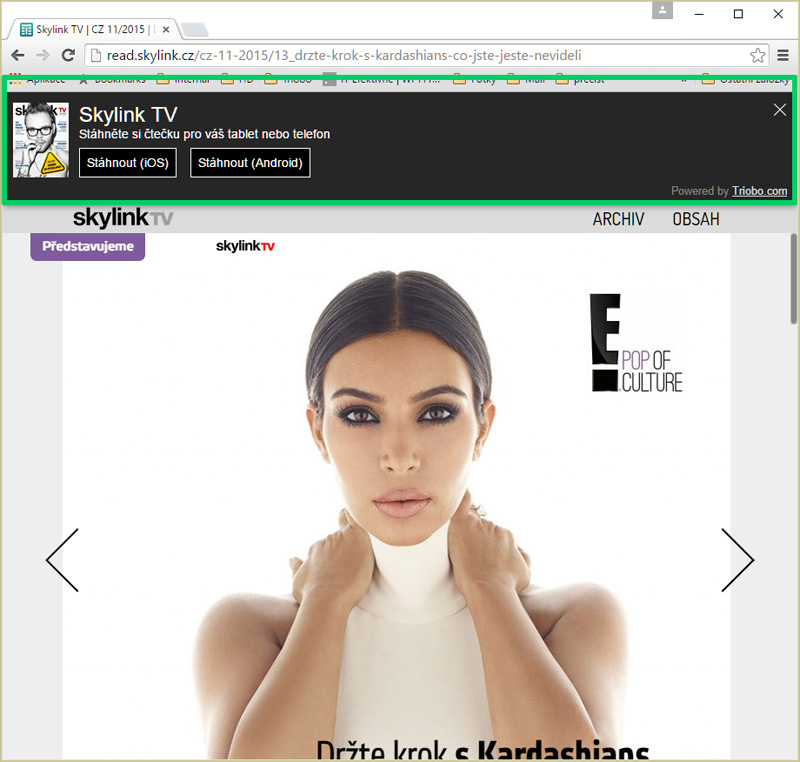
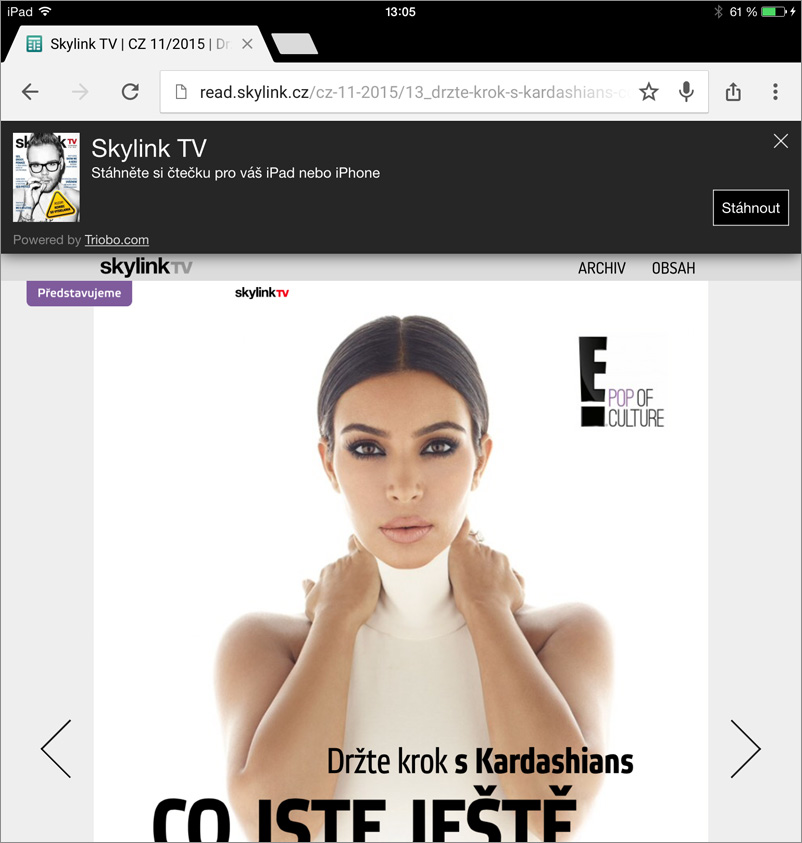
Here you can see the same situation, but this time on the Apple iPad tablet. Readers are offered direct app download of Apple iOS. It also works similarly with Android.