Categories
3. Content publishing for tablets 7. Vocabulary

Favorite articles in digital publication

The Reader of digital publications offers consumers the possibility to mark selected articles as favorite by asterisk. Consumers may later return quickly to selected articles and move (browse) selectively only through favorite articles.

The currently read article may be tagged with star that appears on the top right by using menu button (picture example of Apple iOS platform). Favorite articles are marked with a yellow star. favorite article tag

The content button (e.g. on top left) expands and displays the list of all articles in publication. Again, favorite articles are labeled with star. Note the switch above displays all articles to reader who may then choose to see all articles or just simply those that are marked.
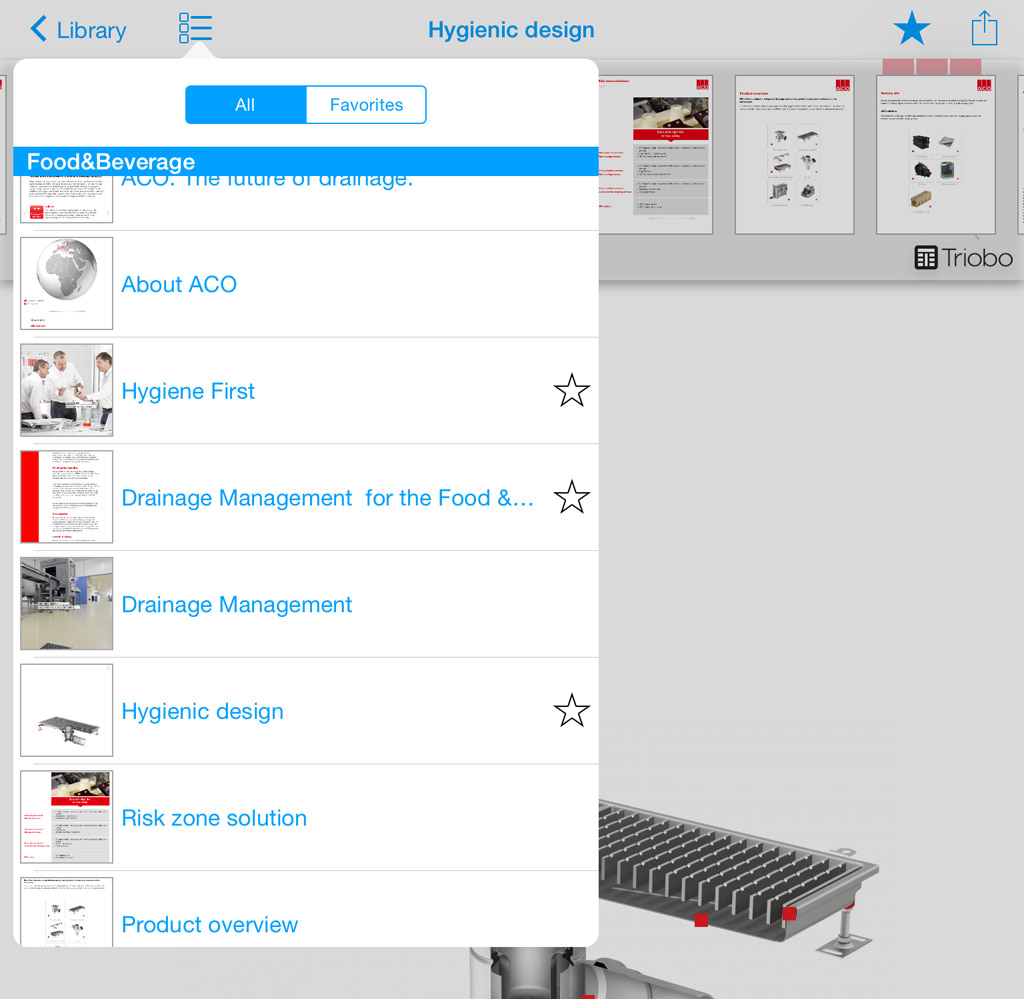
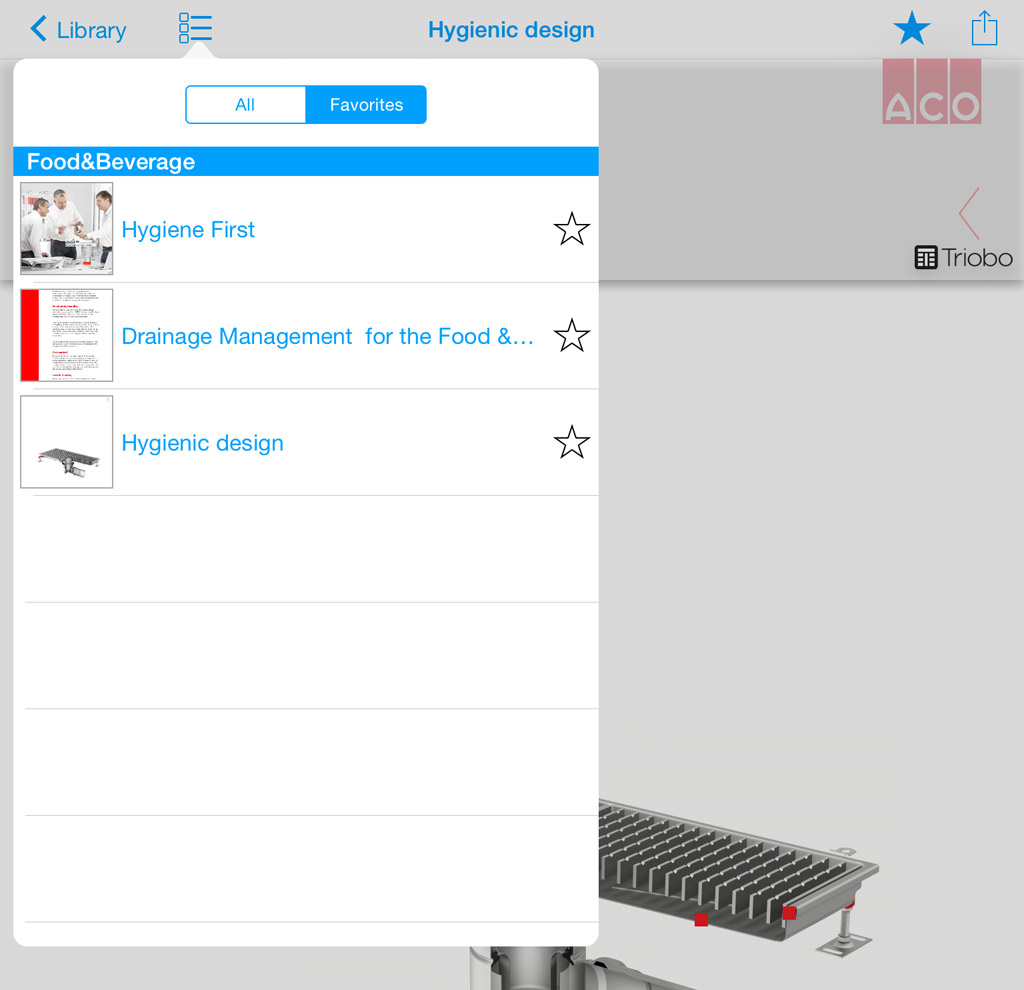
digital publication content content of digital publication with favorite articles

Categories
3. Content publishing for tablets

Advertisement in the background of application

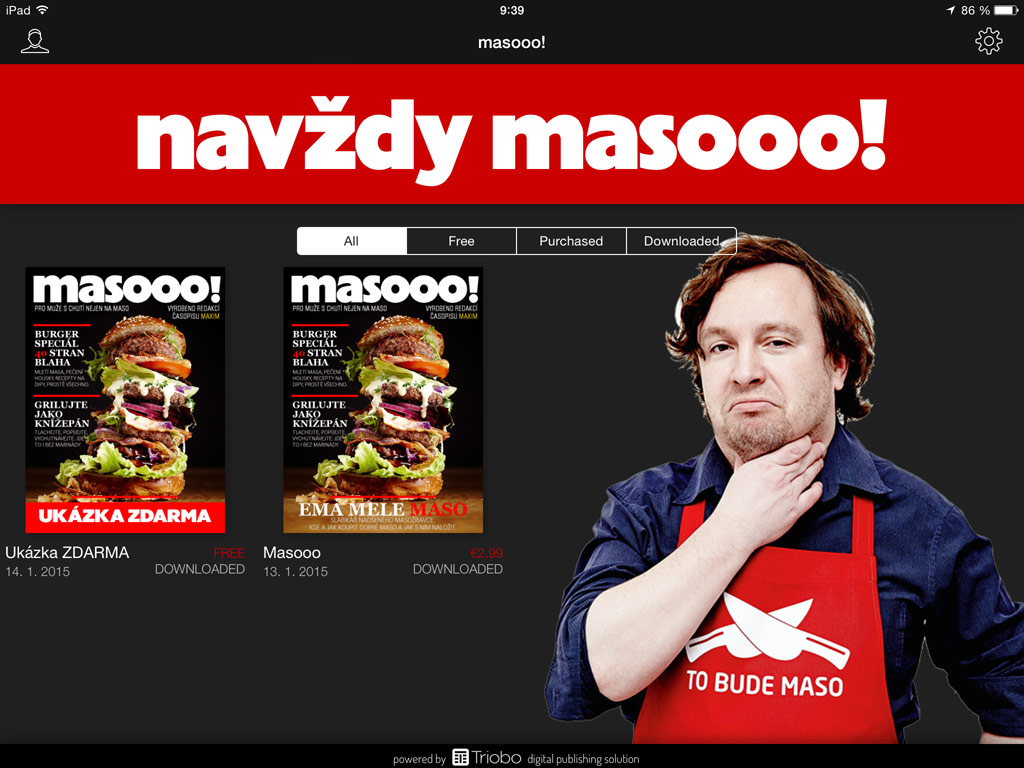
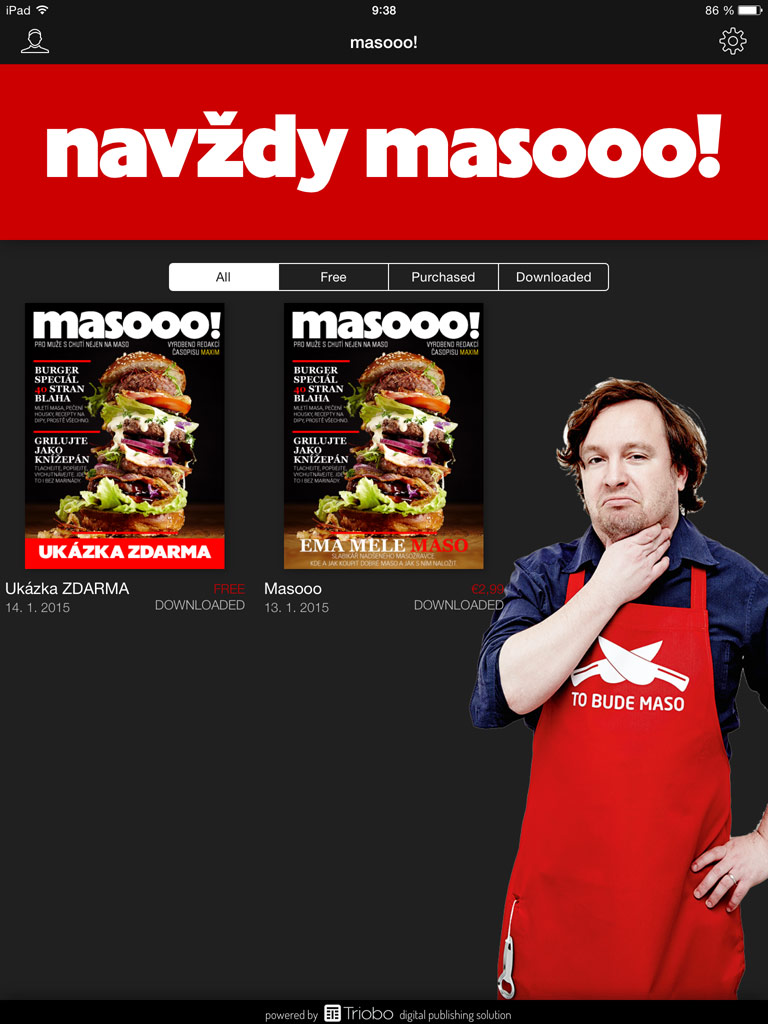
With Triobo digital publishing publishers can also use the front page where issues are listed for their marketing and promotional purposes. Examples can be seen on pictures below.

  • Note that different graphics can be used in tablet portrait orientation and another one in landscape mode.

  • As usual, you can prepare everything directly in Triobo editor in a user-friendly form, without any technical knowledge.

  • You can also use animations, videos (shown below), or any interactive elements, including click-through buttons to publisher or advertiser website.

  • From examples below it is clear that you can modify the background of entire page where issues are displayed and you do not have to stick to area for usual banner advertising. You are not limited by anything but your own creativity.

Example 1 – magazine Masooo! (tablet in landscape)

showcase, Masooo! magazine - landscape

Example 1 – magazine Masooo! (tablet in portrait)

showcase, Masooo! magazine - portrait

Example 2 – magazine Extra (tablet in landscape)

showcase, Extra magazine - landscape

Example 2 – magazine Extra (tablet in portrait)

showcase, Extra magazine - portrait

Categories
3. Content publishing for tablets 5. Succesfull digital publication 6. Marketing & digital publications

The Reader design according to publisher’s configuration

Triobo allows publishers to define customized reader appearance on tablets and smartphones. This new feature allows to attract readers and advertisers effectively.

Let me first recall that all reader devices created in any price tariff of Triobo digital publishing are published strictly under the brand and name of the client, with his icon and initial screen.

Exclusive look and new business opportunities

What can be arranged by publisher who is using the Triobo Professional or higher tariff?

  • Wallpaper background – static and dynamic(!). The publisher creates the entire wallpaper directly in Triobo editor, thanks to that the wallpaper can be animated, with interactive features, may even include video, as you will see at the end of this article. The background of the reader is created as any regular page of interactive digital publication. Besides that the publisher determines at what place the overview with issues of digital publications will be displayed (in transparent layer placed over a wallpaper).
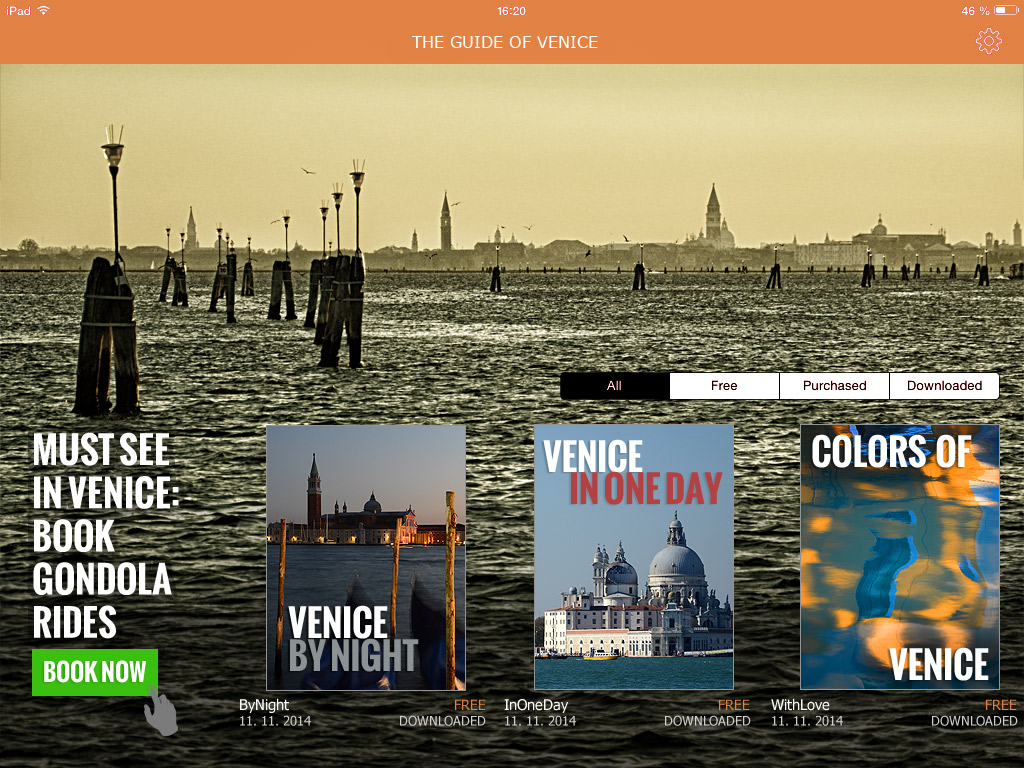
  • Internal or commercial advertising. The previous paragraph implies that the reader background may include any advertisement, again with animations, interactive elements, videos and so on. In the example of Venice Guide (see below), note that the ad may include the click through button to the advertiser’s website.
  • Colors used in the reader. All standard reader features, such as. the upper bar, bookmarks with issue selector, dialog with issue detail that appears when you click on the envelope – all that may be colored according to the publisher’s desire.

And that’s not all:

  • The publisher may create different wallpaper versions for tablet landscape orientation and another one for portrait version (different layout and graphic content may be created).
  • You may have reader with separate wallpapers for tablets and mobiles.
  • The publisher may display a different reader wallpaper for Apple iOS platform layout and another one for Android platform.
  • The reader design can be remotely updated.

How this can look like?

At the Venice Guide example you see the reader with own wallpaper (photo), where a commercial advertising was placed (order for gondola ride). The overview of issues – in our example three separate Guide issues – was positioned so that it aesthetically complements the picture. The entire reader was additionally colored in harmony with photos.

Ukázka vydavatelem definovaného vzhledu čtečky Triobo

How to attract readers? With video-wallpaper!

Categories
7. Vocabulary

Push notifications

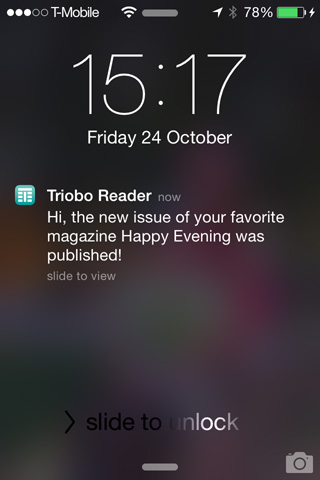
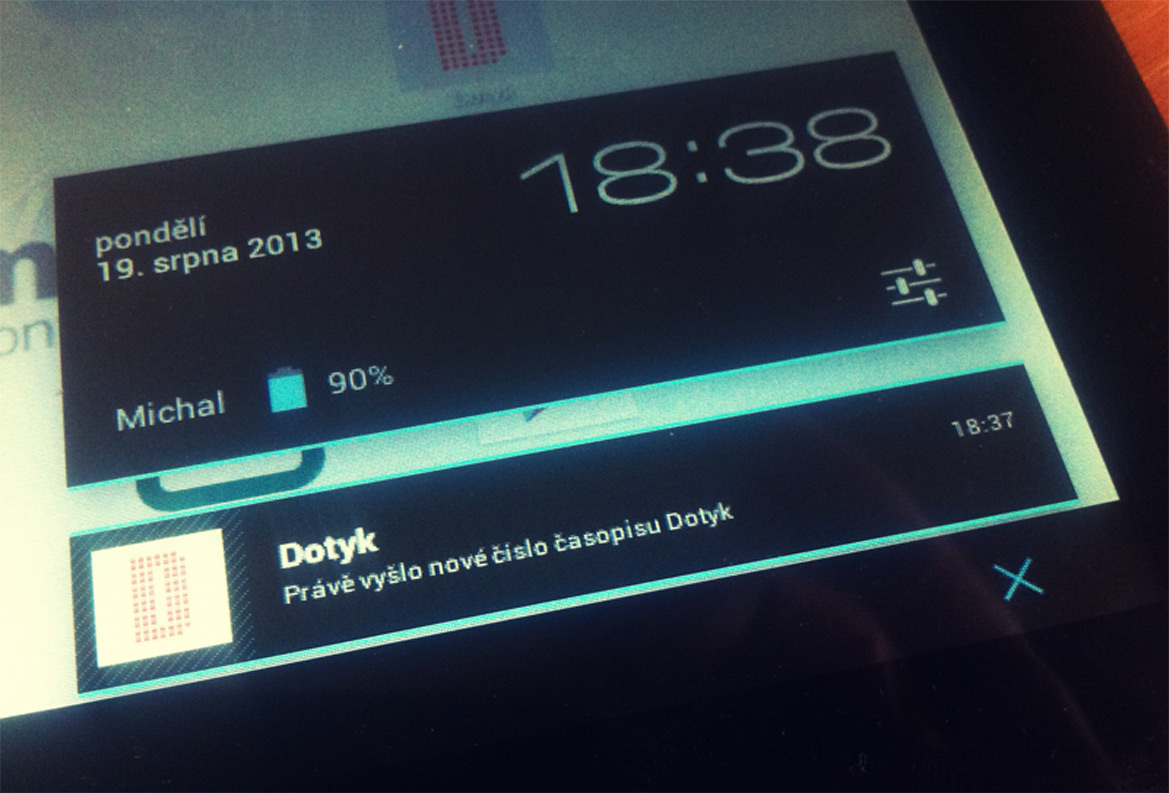
Push notification is a special type of message that you can send to your readers on tablets and smartphones – if reader enables this way of communication during the installation of reader device. Short text message is accompanied by a name of your tablet magazine (or tablet application) and by your icon.

  • Triobo Start allows you to send one message to all readers each month (“New edition of the XYZ magazine has been published”), the text can not be changed by the user.
  • Triobo Professional allows to send 999 messages to all readers each month, the text can be freely modified.

Push notification sample

Thanks to Triobo you can send push notification to all readers, or – thanks to advanced Triobo Push Notification Assistant – for example only to readers who have not yet downloaded the current issue of the digital magazine. You can change and adjust the text of message according to your needs (Triobo Professional pricing program).

ATTENTION: push notification must not contain advertising of third parties, you can expose youself to the risk of sanctions from Apple / Google (Android). For more information, read the rules of content providers Apple and Google.

This is the look of incoming push notofication on Android tablet: Push notifikace na tabletu Android