Categories
7. Vocabulary

GDPR in applications and on websites created with Triobo

GDPR will enter into force in the whole European union on 25. 5. 2018. In relation to publishers using Triobo GDPR concerns two main topics. Do not forget, that from GDPR point of view the publisher using Triobo is regarded as a data controller.

Information regarding cookies processing

This concerns all publishers, that use the website version of Triobo reader application. Because we are normally working exclusively with cookies that are necessary for ensuring basic functionality of the website and with anonymized statistics, you do not require the consent of the readers, you only need to inform them. Even if you are using Google Analytics we anonymize all readers IP addresses.

Informace čtenářům na webThe information to the readers regarding cookies on the website has a default look shown below, that will show up on the first visit to the website (or every visit after deleting cookies in the browser):

We use cookie files only to provide the necessary features of this site, such as storing your settings or anonymous statistics.

If you want to edit the text shown, all you need to do is send us your exact wording (to support@triobo.com), and we will adjust it for you.

Cookies of third parties that are subject to consent of the readers (opt-in): Triobo gives you the possibility to use the Google Tag Manager service for management of third party’s codes. If you are using this service, you can yourself manage a complete set of third party’s codes in the website version of the reader application without the need of our assistance. In that case we highly recommend you do not use our cookies information tab as shown above, but instead use your own solution, for example with the help of the Cookiebot service. Only then will you secure yourself potential consent of the reader for example with remarketing cookies, as required by GDPR.

Information regarding personal data processing

Who is concerned? Only those publishers that publish paid magazines and at the same time use the e-shop we created for selling subscription or use login to the Reader’s zone in the application/on the website. At the same time this topic concerns those publishers, that use the nonpublic section for access of selected group of readers to the password protected content. The thing is, that in these cases the readers login or register using the reader application with their e-mail address (= personal data).

Who is not concerned: publishers of free content without private section.

We have prepared two (model) texts, that inform the reader about personal data processing. These texts can be (should be) changed so that they reflect the specific situation in your company.

This is how the dialog, that appears during registration of the reader or during his first login after launching GDPR support (or after any change of the text in the dialog). Readers that do not login are not bothered by this. The dialog contains shortened version of the information regarding personal data processing according to the GDPR principles:

Notice please, that you can voluntarily set any number of tick boxes for consent to personal data usage outside of the legitimate interest (opt-in). For example, the consent to use e-mail addresses for newsletter purposes. You can however also not include any tick boxes.
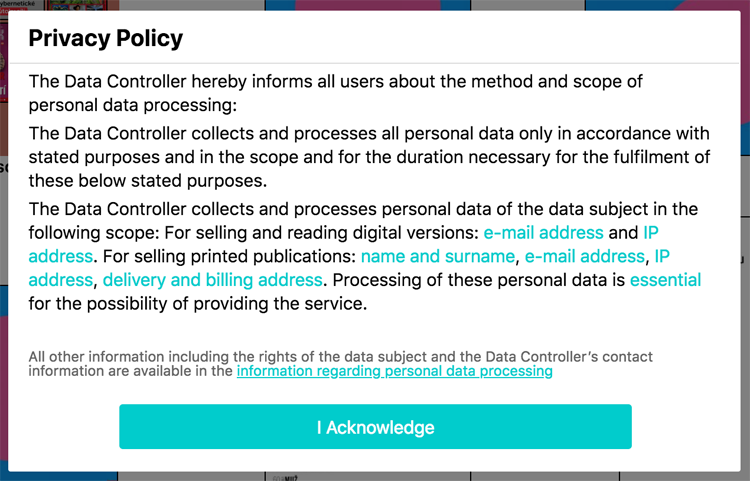
Template of the dialog for publisher, that do not use our e-shop for selling subscription:

Privacy Policy
The Data Controller hereby informs all users about the method and scope of personal data processing:
The Data Controller collects and processes all personal data only in accordance with stated purposes and in the scope and for the duration necessary for the fulfilment of these below stated purposes. The Data Controller collects and processes personal data of the data subject in the following scope: e-mail address and IP address.
Processing of these personal data is essential for the possibility of providing the service.

Template of the dialog for publisher, that use our e-shop for selling subscription:

Privacy Policy
The Data Controller hereby informs all users about the method and scope of personal data processing:
The Data Controller collects and processes all personal data only in accordance with stated purposes and in the scope and for the duration necessary for the fulfilment of these below stated purposes.
The Data Controller collects and processes personal data of the data subject in the following scope:
For selling and reading of digital versions: e-mail address and IP address.
For selling of printed publications: name and surname, e-mail address, IP address, delivery and billing address.
Processing of these personal data is essential for the possibility of providing the service.

Integral part of the dialog is a link to the detailed information regarding personal data processing, that you should have on your own website. We need the address of the specific site, so that we can set everything up. Please send this address, as well as your text for the dialog and requirements for prospective consents, to our e-mail support@triobo.com.

Template for publishers, that do not use our e-shop for selling subscription.
Template for publishers, that in addition to the application use our subscription e-shop.

What information we collect for the purpose of potentially giving it to the supervisory authority: if needed, you have at your disposal information about when the dialog with the information regarding personal data processing appeared as well as information about potential consents that expand the settings (for example singing up for newsletter) for every single e-mail.

N.B. please note that all template texts with information regarding personal data processing or cookies have only informational character and we are not liable for any possible flaws they may contain. You should adjust these texts so that they are applicable to your situation.
Categories
7. Vocabulary

TEMPLATE: Information regarding personal data processing – NO E-SHOP

Data Controller:
YOUR COMPANY
based YOUR ADDRESS
Company ID YOUR COMPANY ID
Hereinafter the Data Controller

The Data Controller hereby informs all users (hereinafter “data subject” or “user”) about the method and scope of personal data processing from his side, including the range of data subject’s rights related to the processing of their personal data by the Data Controller. The Data Controller processes all personal data in accordance with Regulation (EU) 2016/679 of the European Parliament and of the Council of 27 April 2016 on the protection of natural persons with regard to the processing of personal data and on the free movement of such data, and repealing Directive 95/46/EC (General Data Protection Regulation, hereinafter “GDPR”) and further in accordance with relevant national law in the field of personal data protection.

The Data Controller collects and processes all personal data only in accordance with stated purposes and in the scope and for the duration necessary for the fulfilment of these below stated purposes.

1. Processing is necessary for the option of performance of the software providing agreement concluded with the user or for implementing measures accepted before the conclusion of said agreement.

The Data Controller collects and processes personal data of the data subject in the following scope: e-mail address and IP address. Processing of these personal data is essential for the possibility of providing the service, if the user rejects the processing of such personal data it is not possible to further provide the service.

All data stated above are processed only for the duration of the contractual relationship, or if need be, for reasonable time after its end.

2. Data can be also processed based on consent given for the purpose of personal data processing. The consent can be withdrawn by the data subject at any time in person or by statement delivered using the below mentioned contact information.

The Data Controller is authorized to process personal data manually or automatically, including processing using appointed processors, whose up-to-date list he will provide on a request (ad hoc). The Data Controller informs the data subject that personal data concerning the data subject can be, based on legal request, transferred to other subjects (third parties) that are endowed with legal authority to request this transfer of said personal data. Further, personal data can be transferred in accordance with law in certain given cases.

Rights of the data subject

The data subject is entitled to request information regarding personal data concerning him or her and their processing, namely the information if the personal data concerning him or her are being processed by the Data Controller or not, and if so, he is entitled to gain access to these personal data and to following information: the purpose of processing of personal data concerning him or her, category of personal data being processed, information about recipient of the personal data or their category, duration for which the personal data will be kept, sources of these personal data and the information if automated processing is being used, including profiling.

In case that the data subject assumes, that the Data Controller or contractual processor processes the personal data concerning the data subject outside the protection of private and personal life of the data subject or outside the law, particularly if the personal data are not accurate according to the purpose of their processing, the data subject can request rectification or erasure (liquidation) of said personal data, or alternatively restriction (blockade) of their processing.

Furthermore, the data subject has the right to object to above mentioned processing of personal data concerning him or her.

The Data Controller will without further delay, within one month from receiving a request from the data subject, inform the data subject about handling his request.

The data subject has the right to approach the supervisory authority or the Data Controller using e-mail YOUR E-MAIL at any time with his request. The data subject can also exert his above-mentioned rights this way.

The Data Controller’s contact information
Company name: YOUR COMOANY
Base: YOUR ADDRESS
E-mail: YOUR E-MAIL

Provider of the media software solution is Triobo Ltd.

N.B. this model of information regarding personal data processing has only informational character, we are not liable for any possible flaws. The publisher has to adjust it in accordance with his situation.

Categories
1. Starting with digital publishing 2. Triobo editor 3. Content publishing for tablets

Digital replica of print (based on PDF) in three minutes

We are open to publishers who lack the time to create portable optimised design, but still want to profit from all the benefits of Triobo digital publishing, such as detailed statistics, animations, web links etc. You can use so called Replicas, which are based on print quality PDFs.

What are the benefits?

  • Digital publishing in a blink of an eye – can be finished in just three minutes
  • Content created from print PDFs can be combined with interactive features created in Triobo editor – for example, you can comfortably create a 300 page catalog using replica and the cover page with Triobo, where you add animations, hyperlinks (e.g. for e-shop) and even animated advertisement for your client
  • The result can be easily published to web, tablets, smartphones (Android, iOS, Windows 10, Amazon Kindle Fire) and desktop PCs (Windows 10)
  • The support of all Triobo features remains (detailed statistics, animations, readers zone, non-public section, language versions etc.)
  • Very comfortable reading both on web and mobile devices
  • PDF file can be (optional) available for common download

What will you need

Whole publication in one PDF file in the best possible quality (don´t compress the images unnecessarily), without cropmarks, each page individually (meaning not exported as spreadsheets).

How to do it?

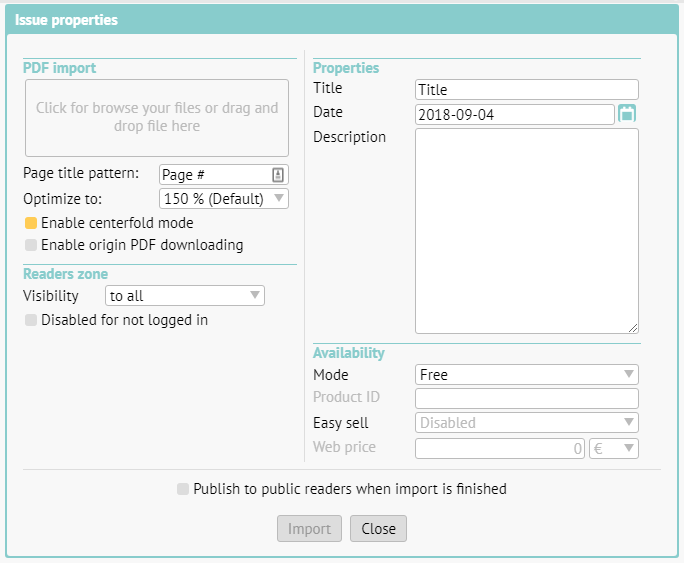
In issues overview (Issues) click on the button “+” to create a new issue. Based on your Default settings the following dialog box will appear.

New issue creation

Drag the PDF file with the mouse cursor to the top left rectangle.

Page title pattern – here you can select how should imported PDF pages be named. A pattern will be used, where # is automatically substituted with a page number. On the picture you see „Page #“ as and example, which means that first page will be named Page 1, second Page 2 and so on. You can name each page individually in the editor.

Optimization – We recommend to leave default value at 150 %, providing a reasonable compromise between quality (necessary for zooming) and file size. If you select higher value, publication could be zoomed-in futher at the cost of higher data transfer.

If you´re working with a portrait oriented content, you can set 2-page (centerfold) layout support – see red rectangle on the screenshot above.

If you want to offer PDF for common download (bonus for readers), set on the option Enable PDF downloading. If you allow this feature, the access to PDF download is the same like main publication: in case of paid content, download is available only after the payment. Keep in mind that your readers can distribute the downloaded PDF freely with no limitations. Note: The Triobo web platform is a prerequisite for using this feature.

Readers zone > Visibility of issue: you can set, who will be able to see the cover of the issue, usually just leave this on the default value (everyone). More in a separate article.

Title: is shown in the reader application under the issue’s cover. It is pointless to repeat the publication title (usually it is identical to the application or web name), rather specify the issue’s number etc.

Date: is decisive, beside other things, for sorting the issue in-between others.

Description: a short description of the issue. It is important particularly for the web version, it is used for search engines (Google etc.).

Availability Mode: if the issue is available for free or if it is necessary to use one of the available methods to pay for it. Details can be found in a special article.

Web price: you can set any price (regardless of Apple’s tier) to sell this digital issue on the web. Triobo web reader application is necessary.

Publish to public readers when import is finished: right after the PDF import is finished an automated process of publishing will begin. If you plan to make further changes to the content before publishing (typically renaming individual pages) leaves this option unchecked.

When everything is set, press Import.

In the issue list you can see the progress of the PDF import.

import progress

When the import is finished and digital replica is created, you can add hyperlinks or animations to any individual page or add new pages created in Triobo and, for example, combine animated title page with other catalog pages, which is automatically created by import as print PDF replica.

Do not forget: in order for any issue to appear on the web site or in your reader application, you must publish the issue (or have an automated process of publishing after the import is finished set as default).

Thumbnails and color – how to

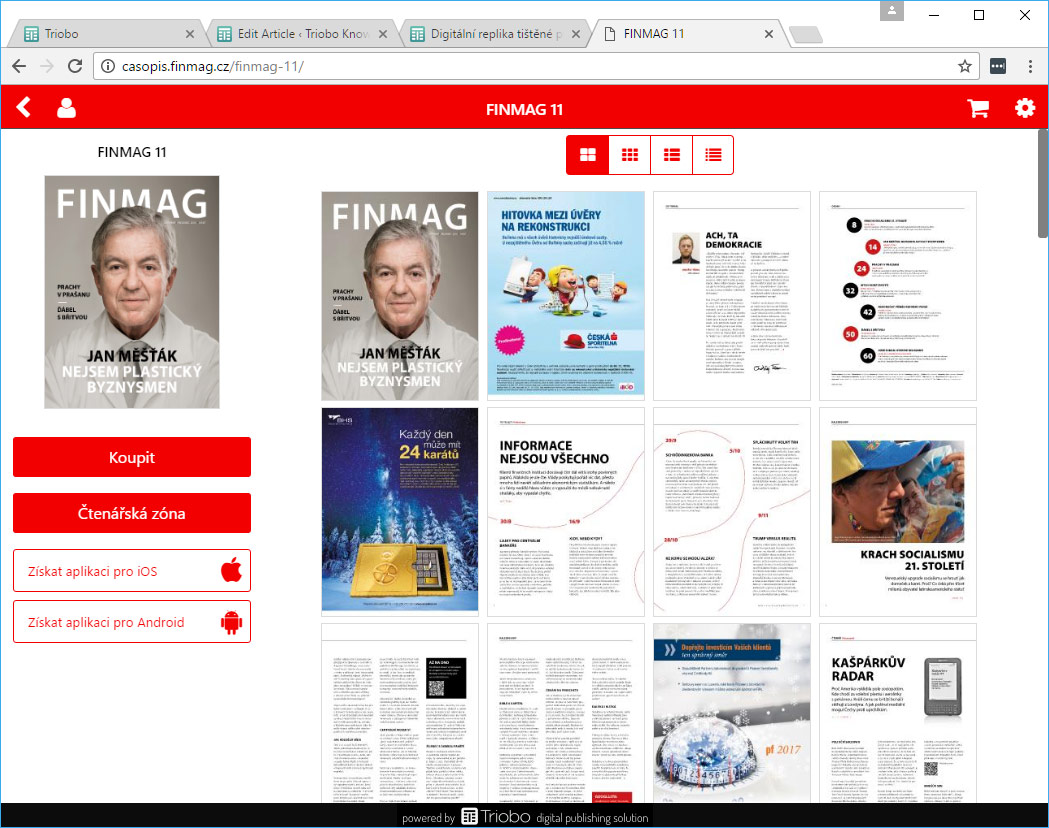
You can set the preview mode of your publication issue detail. Plus, if you have the Triobo Professional subscription, you can set a color scheme. On the image below you can see „full page“ preview mode, that is particularly suitable for previews of print magazines replicas. Read the tutorial about these settings.

Color and thumbnails settings

Categories
1. Starting with digital publishing 3. Content publishing for tablets 5. Succesfull digital publication 6. Marketing & digital publications

Digital replica of paper publication on the Web

For all publishers who want to convert their paper publication without hard work to reader application on tablet, smartphone or to convert print publication and publish it just on the web, we can offer them the digital replica solution. In a separate article information about making replicas was published where we have highlighted all benefits of digital replicas on the Web.

Benefits of digital replica on the Web

In short – everything what was said in Triobo web export article is still valid, but in addition:

  • digital replica can’t be easily stolen from the Web – when reader tries to save a page with replica image, he saves only a little cutout square.
  • support of centerfolds (on tablet rotate to landscape) – depends on publisher’s settings
  • on desktops zoom works by pressing the F button on keyboards or zoom icon from the menu, or using two fingers on touchscreen devices.
  • browser loading works automatically by portions, in a mosaic way, as shown below. Thanks to this readers see the content faster.
  • each page of digital replica has its own unique address (you can share it in email or on social networks as a specific page).
  • Scrolling between pages on touchscreen devices is conveniently done by sliding your finger (swipe), arrows on the sides of each page light up when moving mouse, arrow keys can be also used on classical computers
  • thumbnail menu for easy flipping through pages (see next picture)

Triobo webview replica loading

webview menu

Categories
3. Content publishing for tablets 5. Succesfull digital publication 6. Marketing & digital publications

How to publish on Triobo Portal

When you publish to any of the public reader applications (iOS, Android, Windows 10, Kindle Fire or the web), you may also publish your digital content on the web **Triobo Portal*(http://portal.triobo.com) with a list of publications, page samples and advertisement for application download. Do you want to know how to do it?

Triobo Portal title page

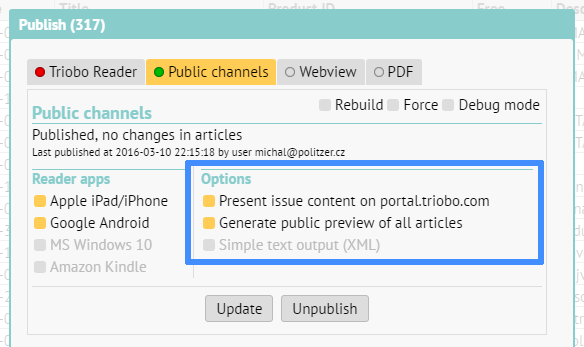
In a typical publishing box (see below) there are two options for content publishing in Triobo Portal.

Publishing dialog

When you check Present issue content on portal.triobo.com: then your publication also appears on Triobo Portal including complete list of all pages.

Generate public previews of all articles only complements the previous selection. When checked during the publishing a public sample (only page top) is generated for each page in publication, including advertisement for downloading of your application (example). The intention is to attract readers to download or purchase your application. WARNING: When you use the fully-fledged Triobo web export (i.e. WebView), the page samples are not generated and portal visitors are redirected to read unrestricted article.

More about Triobo Portal, see in separate article.

Categories
1. Starting with digital publishing 3. Content publishing for tablets

How to prepare entry materials for the Web

To start the Web export of your tablet publication (WebView), we need the following documents from you:

Your own domain

The web publication must run on its own website (own Internet domain). Usually it is the domain of second order (typically www.magazinename.com), but it may also be a third order domain (e.g. http://magazine.publisher.com). You may register this domain at your domain registrar. After this you need to redirect the domain to us – authorize your administrator to set up the so-called CNAME record of domain to webview.triobo.com value. And do not forget to send to support@triobo.com information about what domain you have selected for your web export.

Logo

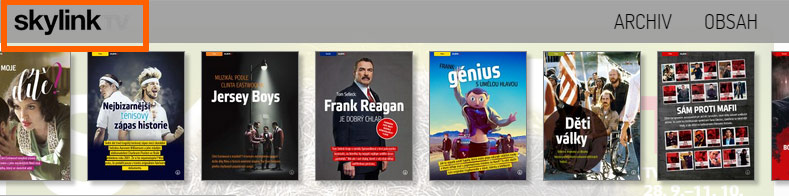
There is publication logo on the header menu of Web pages made in Triobo (see example below). Send us a monochromatic logo in PNG format (with transparency), 64 pixels high including the protection zone above and below the logo (i.e. including spacers), the width is not limited. Logo in the site header

FAVICON: icon of your webpage

You may also display your own webpage icon called Favicon. Triobo will put the icon to your web, you just need to send us the icon. There is plenty of freely available tools and recommendations on the Internet how to create the icon. Favicon example may be seen on the example below. Example favicon

Publisher info

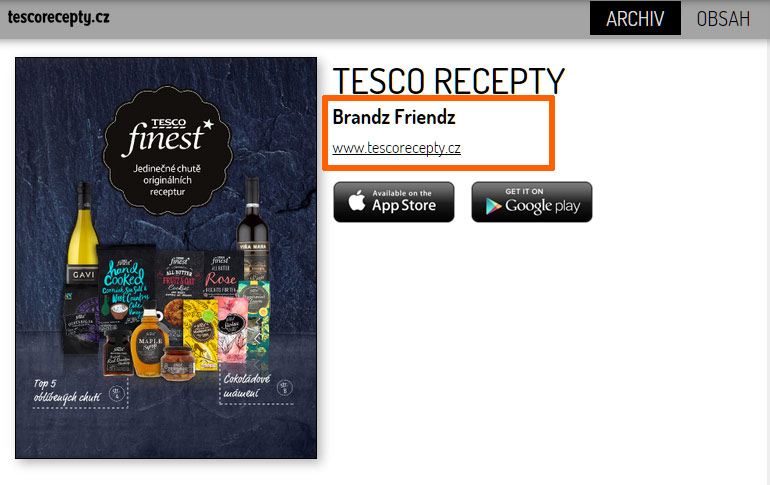
Send us the required name of the publisher and Internet address – both will appear on the page summary of published issues. See the figure below. Publisher information on the site

Statistics: Google Analytics code

Web sites made by Triobo digital publishing are supporting statistics and detailed traffic analytics using Google Analytics. Send us your code (you can download it free of charge on the link) and we will take care about implementation to your site.

How to publish to the Web

Once you get the message from us that everything is ready on our side, just publish your content in Triobo editor. When a new tab (Webview) appears in the publishing dialog press the Publish button (or Update, depending on the situation). Publishing dialog Triobo

Categories
1. Starting with digital publishing 3. Content publishing for tablets 5. Succesfull digital publication 6. Marketing & digital publications 7. Vocabulary

Triobo digital publications on the Web (web export)

Interactive digital publications made in Triobo are now available also to people who do not have a tablet or smart phone. They may simply use a web export Triobo.

Why to use a Web export

  • The reader does not need to own tablet – make your digital publications accessible to every reader on any computer. Including all interactive elements, animations, etc., everything is identical to tablet version
  • Immediate reading without need to install anything – users do not need to install reader application to their tablet / phone
  • Ideal for sharing on social networks (Facebook, Twitter …) – reader can read immediately from the Facebook
  • Full support of Internet search engines Google, etc. – texts in machine-readable form, Triobo additionally generates sitemap.xml). As a standard feature are provided nice Internet address of each page (URL * cool *).
  • Promotion of your applications on tablets and smartphones – for example, through Triobo Ad Banner
  • Your own Internet domain – Web based publications made in Triobo work on any web address based on choice of publisher
  • Publication Logo in the menu bar and User icon in the title of browser bar (ie. favico)

Superb reading experience

As stated before, the reader does not need to install anything and can immediately start with reading. It does not matter whether he starts on tablet, phone or any computer. The most important thing is reading comfort, where we try to mediate similar experience to iPad reader.

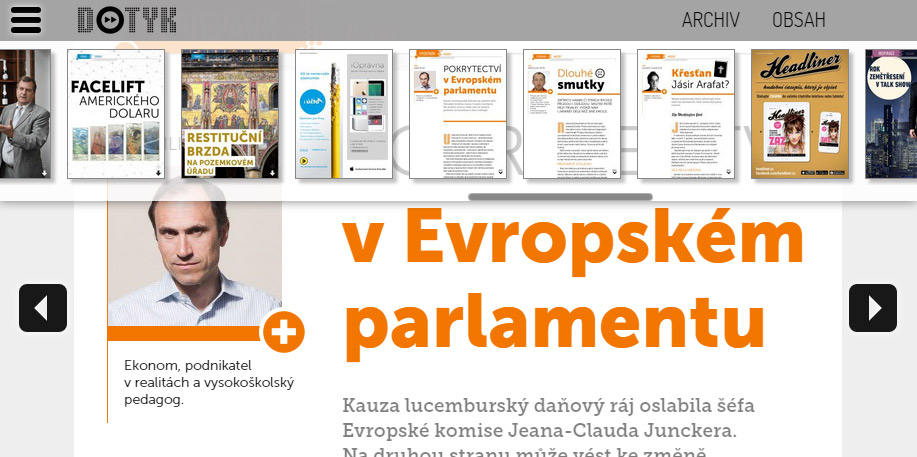
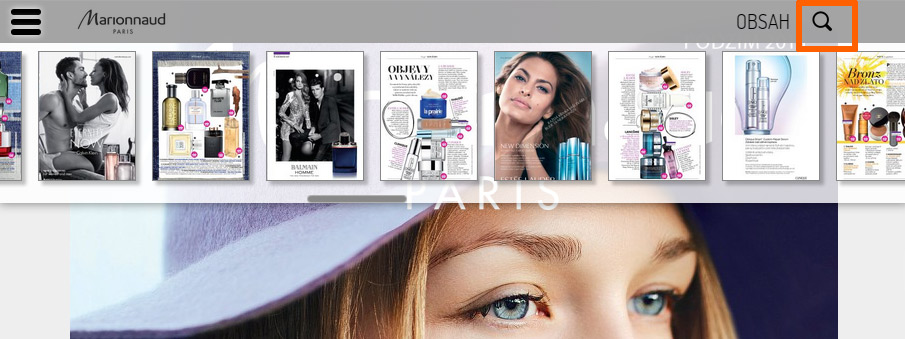
Each web publication has menu with previews of all pages – for a quick overview and browsing. Just click on the appropriate icon located at the top left or right side by publisher’s choice.

Menu interactive publications on the Web

On most devices with touch screen display you may scroll between pages using the classic finger motion (swipe) to the left or right. Where it is not possible for technical reasons (typically the default Web browsers of older Androids) at the touch of a finger or mouse movement the left / right arrows will appear.

Sample of scrolling arrows

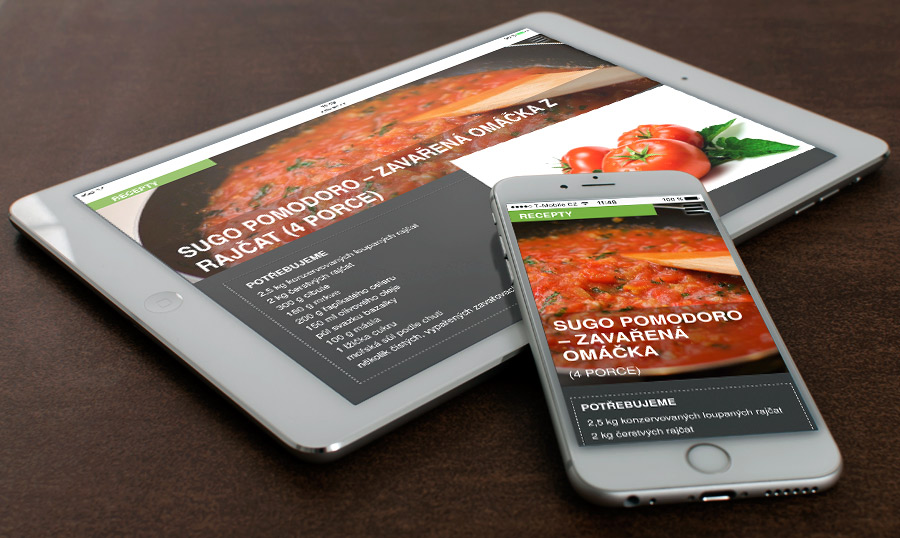
Phone vs. Tablet content versions on the Web: The content made specifically for tablets is commonly displayed on the web. However, in case the publisher has also prepared a separate phone version, we can recognize the device on the web from which the reader opens web pages, and display this page correctly either in tablet (on computers and tablets) or phone (smartphones) mode.

Tablet vs. phone on the Web

Advanced zoom mode is also available, and (on desktop) it works in several steps:

  • 100% display 1:1,
  • fit to width: content expands to the width of browser window,
  • fit to windows: content shrinks so the browser window fits to entire page (format “one iPad display”)
  • and several intermediate steps in between

Triobo zoom on the Web

You may bring up the zoom mode menu on computers (i.e. in desktop browser) by clicking the magnifying glass icon or by repeated pressing the “F” key. Publisher may also change the default zoom settings for given website, as described in a separate article. When browsing the Web on mobile devices zoom works using two fingers.

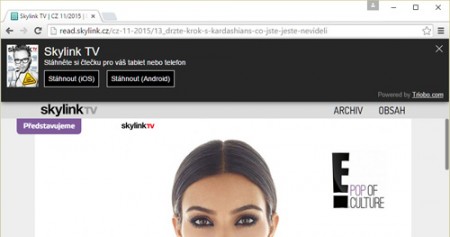
Look at how the Web export of Triobo digital publication may look like – visit read.skylink.cz.

Example of Triobo export - www.dotyk.cz

Categories
5. Succesfull digital publication 6. Marketing & digital publications 7. Vocabulary

Promote your application using the Triobo Ad Banner

Triobo Ad BannerTriobo Ad Banner is a useful marketing tool that is offered totally free to all Triobo digital publishing clients. This may be used as an extension of any website where a banner on the top of the page notifies visitors that there is a possibility to download suitable mobile application.
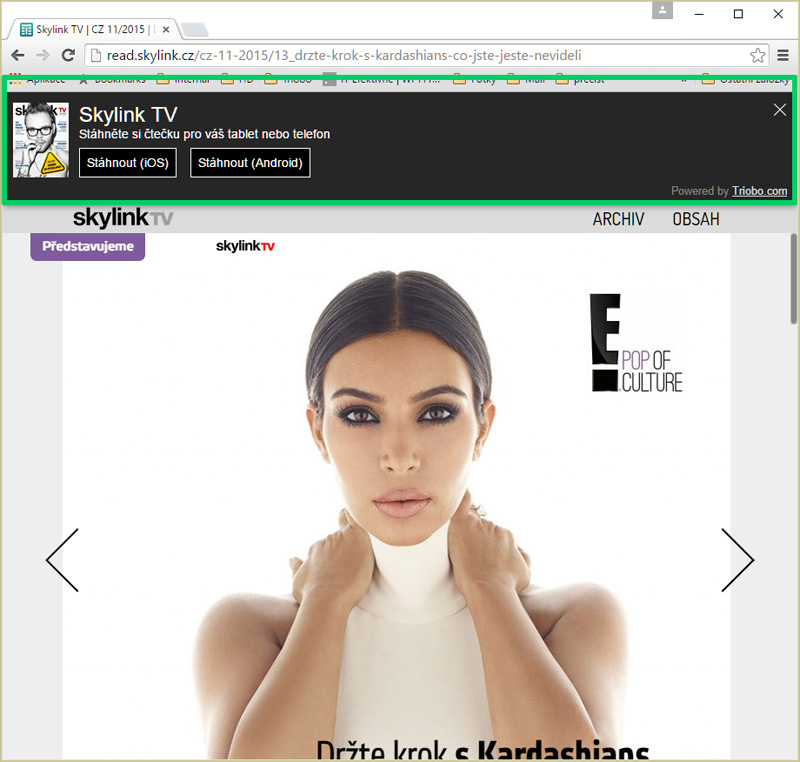
The main advantage? Triobo Ad Banner detects the platform from which the reader looks at the web (Apple, Android, Windows 10 …), and offers him appropriate version of digital application for download.

Triobo Ad Banner may be used with all Triobo price tariffs including Triobo Single.

What can be set

  • When you want the Ad Banner to display the application icon or – in the case of digital magazines – the cover of current issue
  • The delay between the first and second display of Triobo Ad Banner. The default value is 0, ie. banner is displayed continuously until the reader closes it. You may also specify, for example, that after the page reload the banner will be displayed for additional 10 minutes (with next page load).
  • After how many days from banner closure the Triobo Ad Banner reappears to the reader (the default value is 14 days).
  • Short descriptive text under the application heading

How to launch Triobo Ad Banner

  • Each publisher receives a simple HTML code that can be easily inserted to any web page or into any CMS. This is similar process like Google Analytics tracking code implementation.
  • Publishers with Triobo web export already have their Ad Banner launched automatically on their web site – of course only in case they also have Triobo tablet application.

Practical example

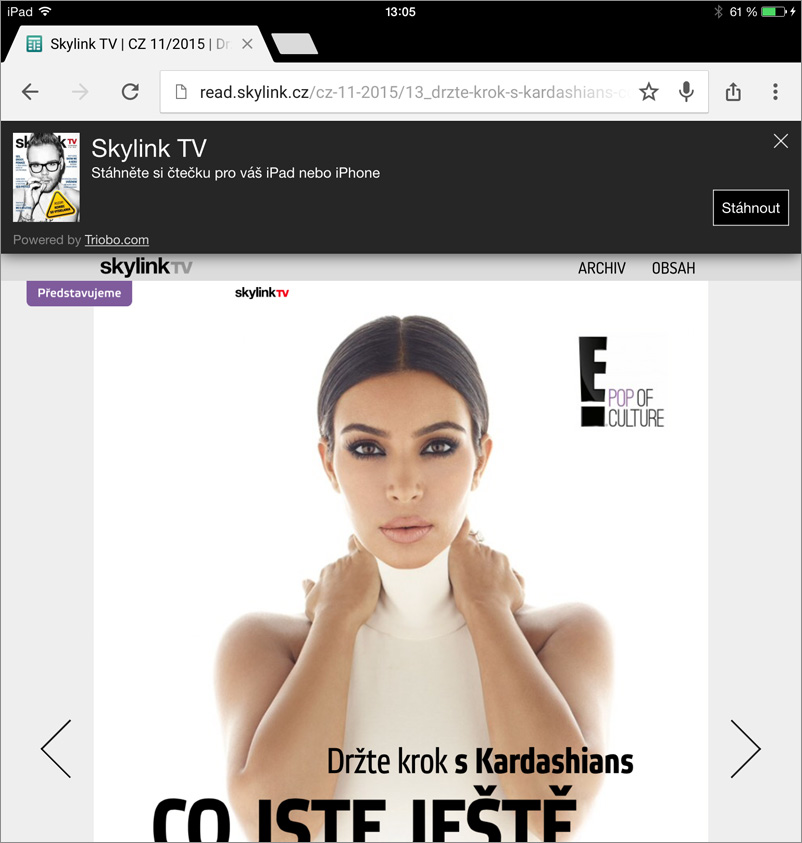
This is how it looks in real world: when reader visits the web site from ordinary PC with Windows 7. The application download is offered only for Apple iOS and Android because there are no applications for Windows 7 available. Triobo Ad Banner - desktop

Here you can see the same situation, but this time on the Apple iPad tablet. Readers are offered direct app download of Apple iOS. It also works similarly with Android. Triobo Ad Banner - Apple iPad

Categories
3. Content publishing for tablets 5. Succesfull digital publication 6. Marketing & digital publications 7. Vocabulary

Optimizing advertising campaigns on Facebook

Marketing of digital publications is integral part of a successful publishing on tablets and smartphones. It is simply not enough to be in Appstore / Google Play and it is necessary to actively approach potential readers. Facebook campaigns represent a very interesting option, mainly because you can target only those users who actually use tablets or smart phones.

Thanks to Triobo you can optimize your Facebook and save financial resources in your marketing budget. Let us link the Reader of your magazine (or any digital publications) to Facebook and we will allow you to specifically target your Facebook advertising:

  • display the advertising only to user who is accessing Facebook from a mobile phone or tablet (= your target group) and who at the same time still has not installed the Reader of your digital magazine

and/or

  • display the advertising only to such user who has installed your digital magazine, but did not open it for some time in his tablet or phone

The key is that your ad is actually displayed only to those Facebook users who are attractive as potential consumers.

How to do it

It is necessary to use the Triobo Professional price tariff. Then you can simply register your digital magazine on the Facebook and send us your assigned Facebook App ID. We will then prepare your digital publication Reader app for you with this identifier and send it for approval to the Appstore/Google Play. Then you can optimize your Facebook advertising campaigns and target the right audience.

Categories
3. Content publishing for tablets 7. Vocabulary

Support of PDF documents in the reader

The best way to succeed in digital publishing is represented by customized layout that fits screens of most Tablets and smart phones. But in some cases the the publisher does not have enough time or capacity for preparation.

Or there is a need to quickly publish hundred-page catalog full of technical tables and plain figures, that is available in PDF format and is interesting only for selected group of readers. In this case, you can use the PDF support of Triobo digital publishing.

Publisher may work with following types of publishing:

  • Triobo publication: created in Triobo visual editor (customized tablet/phone layout, interactive elements etc.)
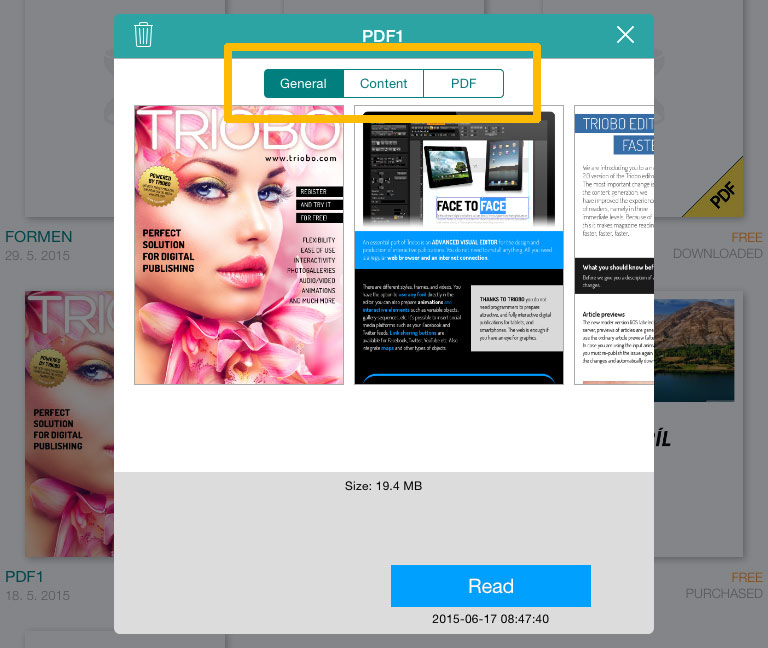
  • PDF publication: PDF format document made in external program, imported to Triobo reader – the middle part on picture below
  • Combined publication: the combination of Triobo based document with PDF – the right side on picture below

Example of Triobo publication, PDF publication and Combined publication

Advantages of individual solutions

Triobo publication

PLUS: full interactivity, layout customized to tablets and phones (various screen sizes, displays etc.), very convenient to reader.
MINUS: work associated with magazine preparation (according to layout complexity)

PDF publication

PLUS: zero work with publication preparation. It is necessary to save optimized PDF, reduce images (not the original PDF but the optimized one)
MINUS: reading full of compromises

Combined publication Triobo + PDF

Consumers may normally download Triobo publication with full interactivity and comfortable reading. Publisher may also enclose a PDF document.

PLUS: the reader has a good quality digital content for convenient reading (Triobo publication). In addition, he may also download the attachment in form of PDF document.
MINUS: there are no negatives

A typical user of Combined publication is a publisher who already has print magazine and at the same time prepares for his readers interactive version customized to tablets (Triobo publication). The publisher encloses the PDF version of printed magazine as a PDF attachment – the same content, only in replica form of printed magazine (=uncomfortable reading on phones and tablets). Because readers thus have automatic access to PDF copy of printed version with their digital purchase, the publisher may count downloads of tablet magazine to audit of sold publications of the original magazine (International Federation of Audit Bureaux of Circulations).

This is how the reader looks after combined publication is opened: Combined publication Triobo + PDF